





Rated 4.9+
by RoomDesign Users
50K+
Rooms Designed
Trusted By 100+
Organizations

Helping homeowners & renters everywhere design rooms easier

What is RoomDesign?

RoomDesign is a practical planning tool that helps turn early ideas into clear room concepts. It focuses on space usage, overall balance, and visual harmony, allowing people without a design background to better understand their options and make confident room planning decisions.

What is RoomDesign?

Why RoomDesign Works for Everyone?

RoomDesign is built to remove barriers from room planning. It offers an easy starting point, clear visual results, and fast outcomes, helping users explore room ideas

Easy to Start, No Design Skills Needed

RoomDesign is made for everyday users. You don’t need training, tools, or prior knowledge. Simply begin with an idea or space, and the process feels natural, clear, and approachable from the first click.

Photo-Real Visuals That Make Space Easy to Understand

Instead of abstract plans or symbols, RoomDesign presents realistic, photo-level visuals. This helps users clearly see proportions, layout flow, and style balance, making spatial ideas easier to grasp at a glance.

Fast Results Without Sign-Up or Waiting

RoomDesign delivers usable room concepts in just minutes. There is no account required and no setup delay, allowing users to quickly review options and gain direction when time matters most.

What Can RoomDesign Help You With?

RoomDesign allows users to explore room possibilities before making decisions.

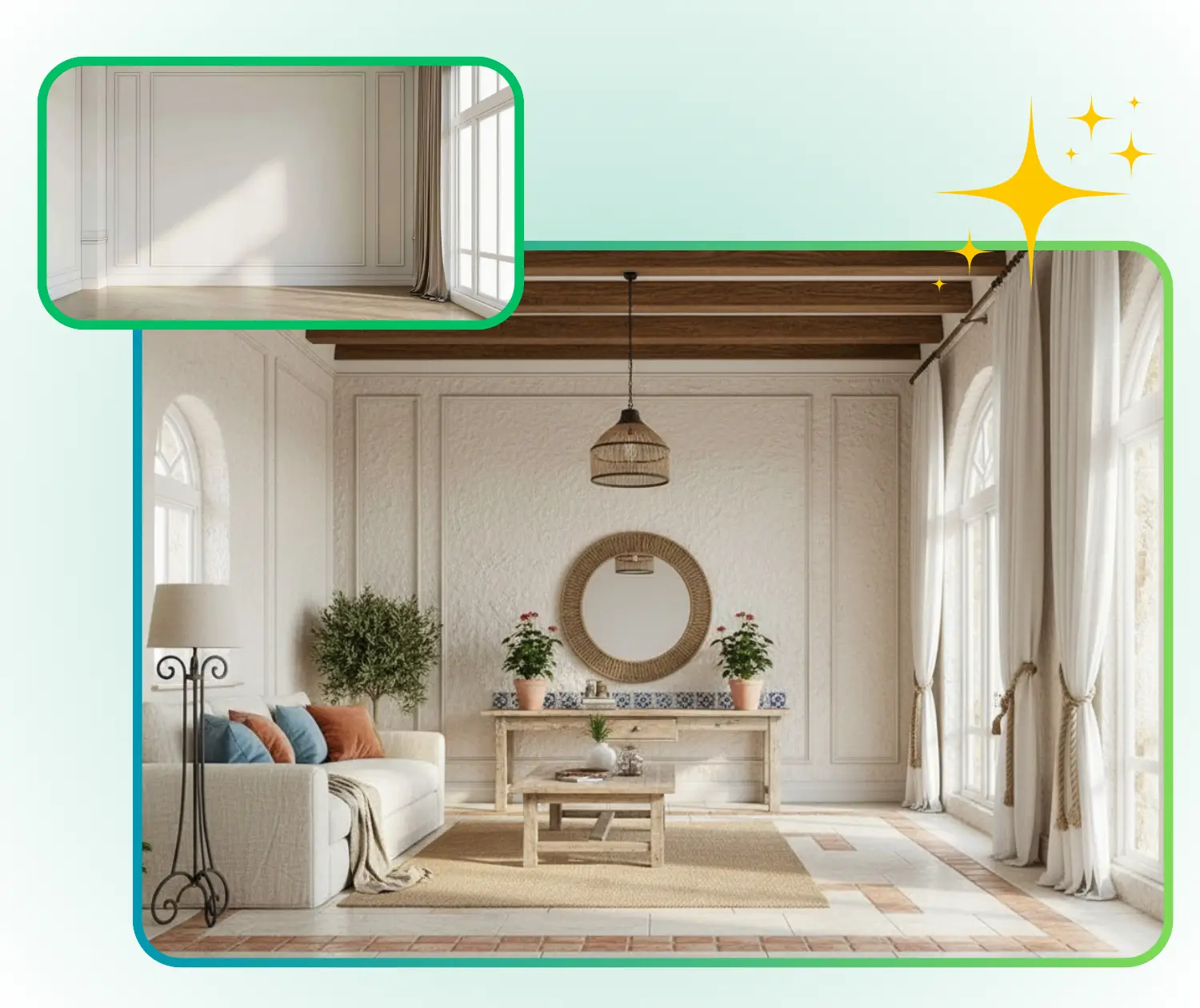
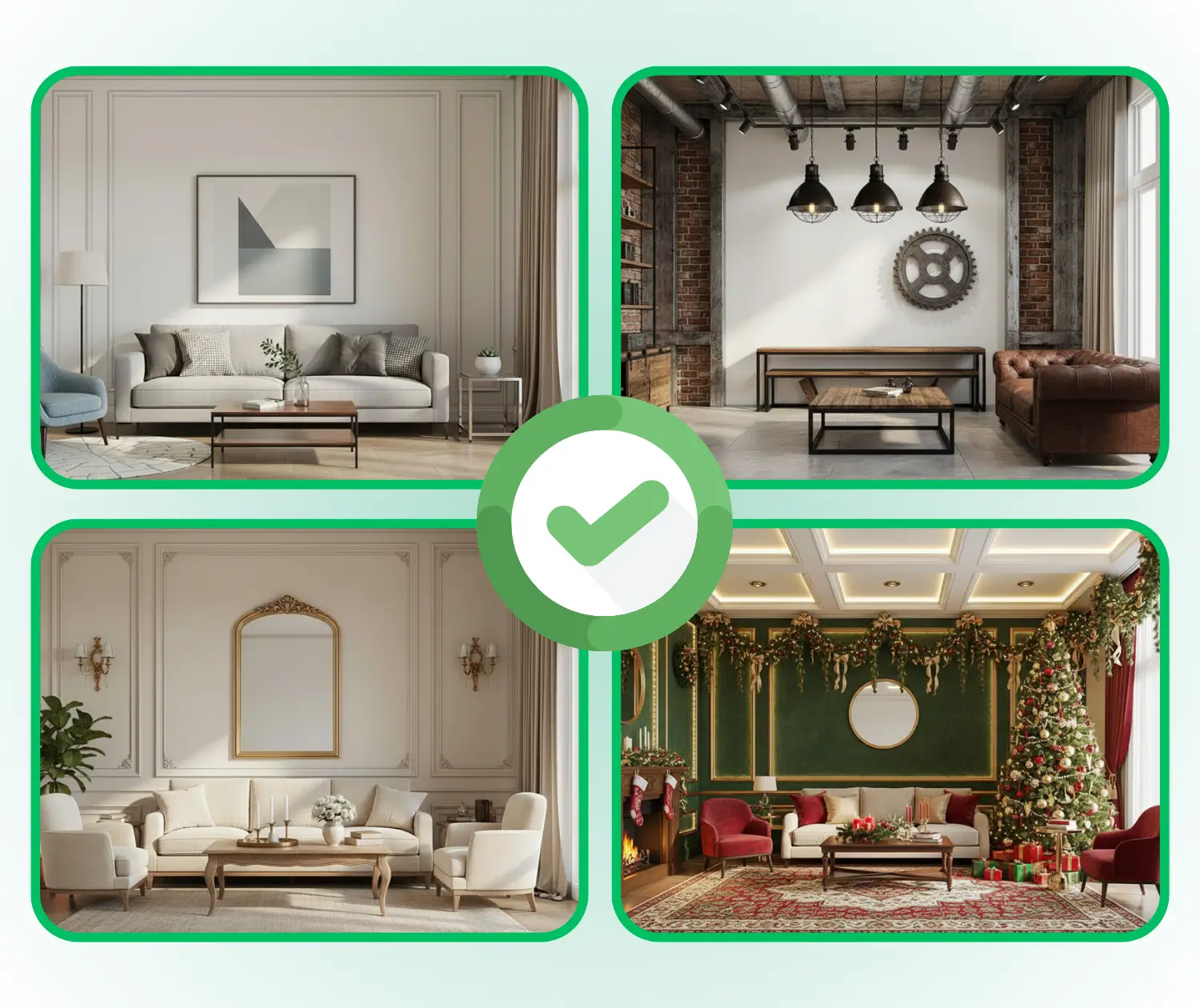
Explore Styles Before Renovation

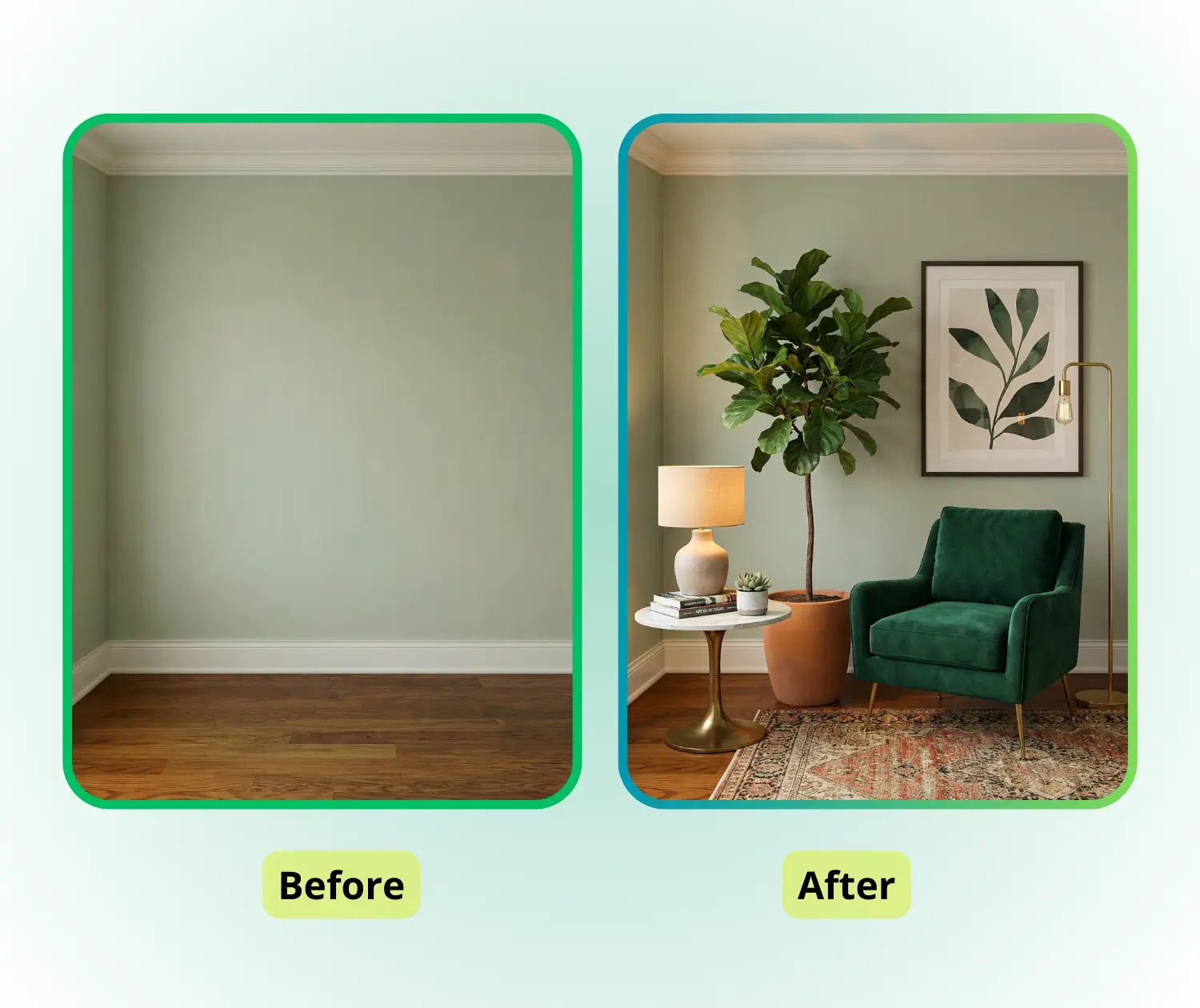
Before starting a home renovation, it’s often hard to know which style fits best. RoomDesign lets users quickly try different color schemes, furniture combinations, and decor themes. This makes it easier to visualize the overall look, compare options, and find a style that matches personal taste and lifestyle.

RoomDesign: Explore Styles Before Renovation

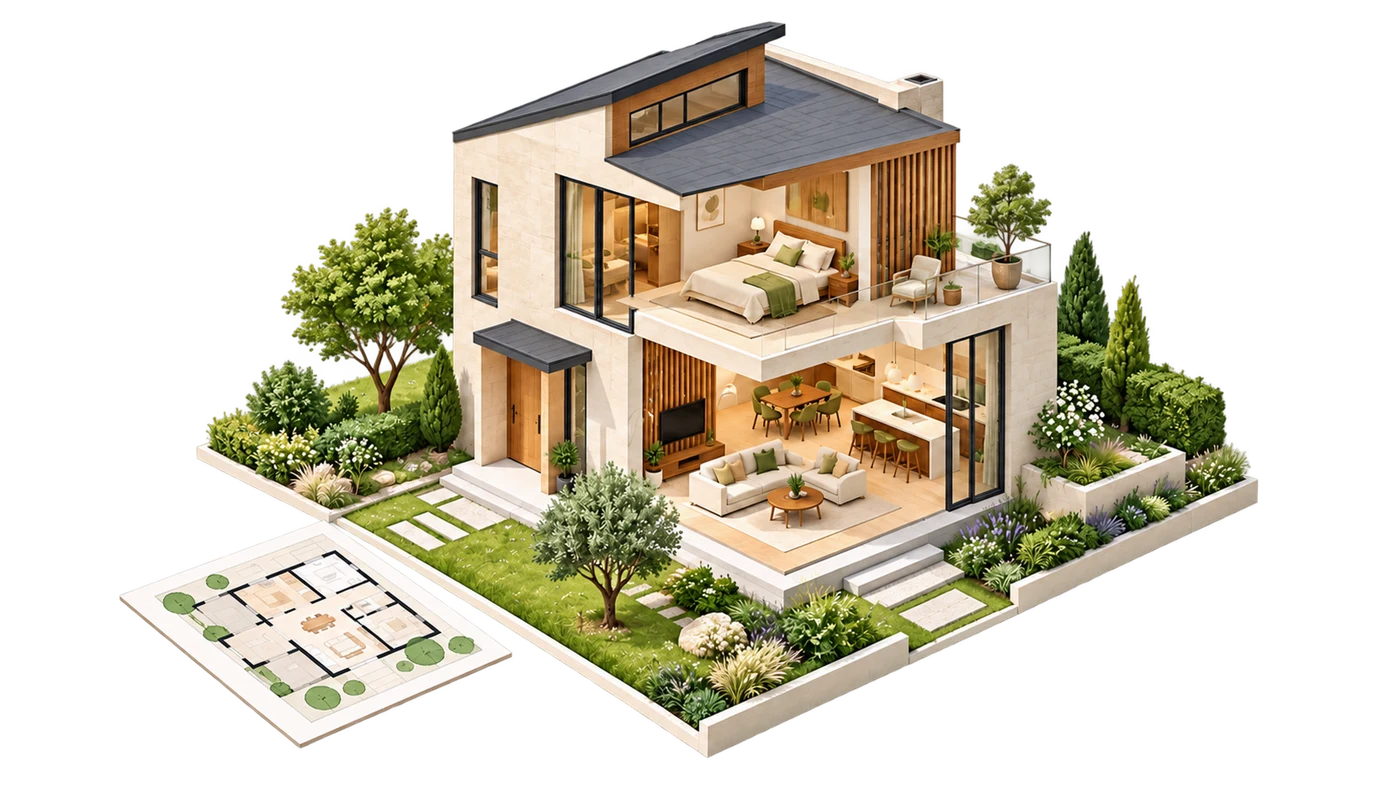
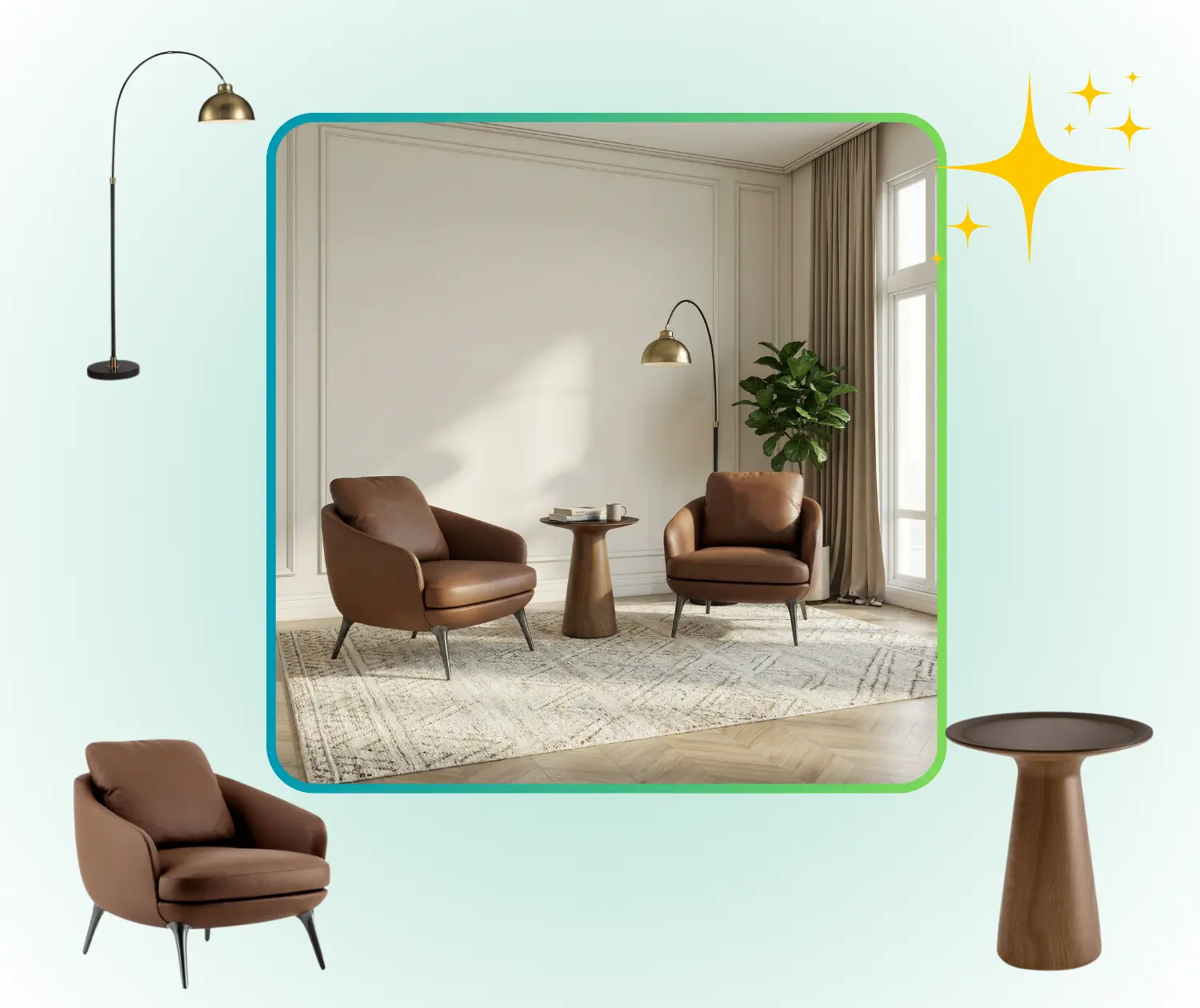
Plan Furniture and Layouts Effectively

Arranging furniture and defining functional areas can be challenging. With RoomDesign, users can create realistic room layouts, experiment with furniture placement, and see how different arrangements affect flow and usability. This helps optimize the space while avoiding guesswork and mistakes.

RoomDesign: Plan Furniture and Layouts Effectively

Make the Most of Small Spaces

Small rooms or tricky corners often feel limiting. RoomDesign allows users to test multiple layout ideas, evaluate which setups are feasible, and explore creative solutions for maximizing storage and comfort. It gives a clear understanding of how to use every square foot efficiently.

RoomDesign: Make the Most of Small Spaces

How to Use RoomDesign in 3 Simple Steps

RoomDesign makes room planning easy for everyone. With just a few clicks, you can upload your space, choose a style or describe changes, and quickly generate realistic room.

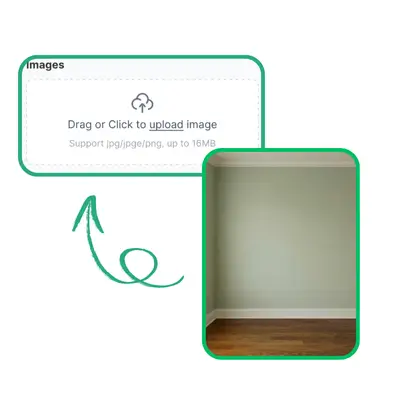
RoomDesign: Step 1 – Upload Your Room Photo

Step 1 – Upload Your Room Photo

Start by uploading a clear photo of your room. RoomDesign uses this image as the foundation, capturing the layout, size, and key features to ensure the generated design matches your real space.

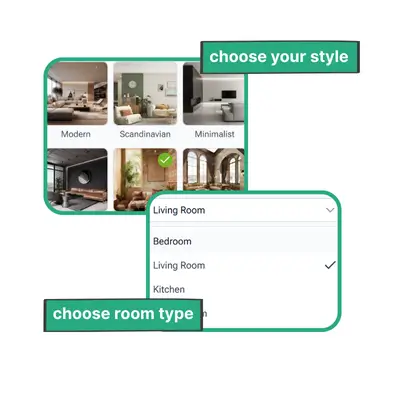
RoomDesign: Step 2 – Choose a Style or Describe Changes

Step 2 – Choose a Style or Describe Changes

Select a preferred design style from the options or describe how you want to modify your room. This helps RoomDesign understand your taste and requirements, so the output reflects your vision.

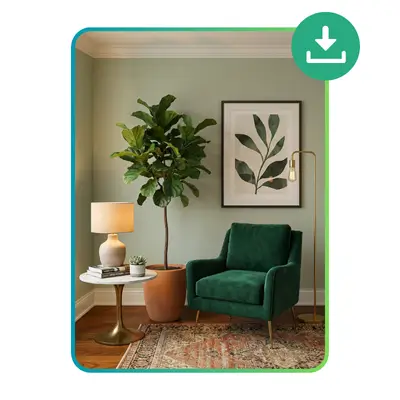
RoomDesign: Step 3 – Generate and Share Your Room Design

Step 3 – Generate and Share Your Room Design

RoomDesign quickly creates a polished, realistic version of your room based on your inputs. You can download high-resolution images and share them with family, friends, or designers to visualize your ideal space.

Start Designing Your Room Today

Bring your room ideas to life with RoomDesign. Upload a photo or start from scratch, explore different styles, and see realistic results instantly. Planning your space has never been easier or faster.

Get Started Free

What Users Say About RoomDesign

J.K. avatar

J.K.

Interior Designer

RoomDesign completely transformed how I plan my spaces. I can explore multiple layouts and styles quickly, and the photo-realistic previews make it easy to visualize how furniture and decor will actually look in my room. It saves me time, reduces guesswork, and helps me make confident design decisions every time I use it, whether for small adjustments or full room makeovers.
M.L. avatar

M.L.

Homeowner

I never imagined designing a room could feel this simple and stress-free. RoomDesign allows me to test different color schemes, furniture arrangements, and decor options instantly. Seeing realistic previews helps me understand what will work best in my space, and it makes the process enjoyable and creative. It’s a tool I rely on whenever I want to refresh or reorganize a room.
S.T. avatar

S.T.

Freelance Writer

RoomDesign has been a game-changer for organizing my small apartment. It helps me plan furniture placement efficiently while keeping the room stylish and balanced. The tool is intuitive and doesn’t require any design background, making it easy for anyone to generate professional-looking results. I can quickly see what works, which saves time, reduces errors, and inspires new ideas for my space.
R.C. avatar

R.C.

Product Manager

Whenever I want to redecorate a space, RoomDesign is my go-to tool. I love that I can experiment with different ideas in minutes and immediately see realistic results. It helps me understand proportions, layout flow, and visual balance without guesswork. Using RoomDesign makes decorating fun, efficient, and ensures I make decisions that truly enhance the room’s style and functionality.
A.H avatar

A.H

Content Creator

I used RoomDesign to plan my living room makeover, and it exceeded my expectations. The tool allowed me to try multiple furniture arrangements and styles quickly. The realistic previews made it easy to identify the best combinations and finalize my design confidently. RoomDesign saves me time, helps avoid costly mistakes, and makes the whole design process much more enjoyable and manageable.
L.W. avatar

L.W.

Knowledge Worker

RoomDesign helped me visualize my bedroom renovation from start to finish. The tool was simple to use, and the photo-realistic previews looked very close to real life. It gave me confidence in my design choices and allowed me to explore multiple layouts and styles. Using RoomDesign made the entire experience smooth, enjoyable, and efficient, ensuring the final results matched my expectations perfectly.

Frequently Asked Questions About RoomDesign

RoomDesign helps users visualize and organize room layouts without needing professional skills. By uploading a photo or starting from scratch, you can experiment with furniture placement, color schemes, and decor styles. The tool generates photo-realistic previews that show exactly how your choices will look, helping you make confident decisions, reduce guesswork, and plan your space efficiently.

No prior design knowledge is required to use RoomDesign. The interface is intuitive, and every function is designed for ease of use. Users can quickly select styles, test layouts, and explore decor options. RoomDesign allows anyone to see realistic room results instantly, making it accessible for homeowners, renters, or anyone looking to improve their space without complex tools or training.

Yes, RoomDesign is versatile and works for various types of rooms, including bedrooms, living rooms, small apartments, or even tricky corners. The tool adapts to different layouts and sizes, providing realistic visualizations for each space. Users can explore multiple design ideas, check proportions, and understand how furniture and decor will fit, ensuring every area is planned efficiently and looks appealing.

RoomDesign can be used for free, and there is no mandatory sign-up required. Users can start uploading photos, selecting styles, and generating room designs immediately. While creating an account may provide additional features like saving projects, the core functions, including photo-realistic room previews and layout planning, are fully available without registration, making it fast and convenient for everyone.

Yes, RoomDesign allows users to download high-resolution images of their room designs. You can share these files with family, friends, or interior professionals to get feedback or plan further changes. The realistic previews generated by RoomDesign ensure that what you see online closely represents the final result, helping you communicate your vision clearly and confidently.

RoomDesign is designed for speed and efficiency. Once you upload a photo or set up a blank space, you can apply different styles, layouts, and furniture arrangements within minutes. The tool quickly generates photo-realistic previews that let you evaluate multiple options without delay. This fast workflow helps users save time, test ideas freely, and make informed design decisions more easily.